Interactive demos of self-calibrating interfaces
A self-calibrating interface can identify what you are trying to do without knowing how you are trying to do it.
This page lists demos and tutorials for self-calibrating PIN-entry interfaces. Each demo presents a different interaction modality—from simple buttons to touch screens, hand-drawn sketches, and even spoken words. The system learns to understand your intent in real-time, without any prior knowledge of how you are trying to communicate.
Start with the simpler button-based demos to understand the core concept, then explore more complex modalities to see how self-calibration works across different input types.
Read the full interactive paper to learn more about the underlying algorithms and concepts, and see the References section below for publications in domains including Human-Robot Interaction (HRI), Brain-Computer Interfaces (BCI), and Human-Computer Interaction (HCI).
Demos
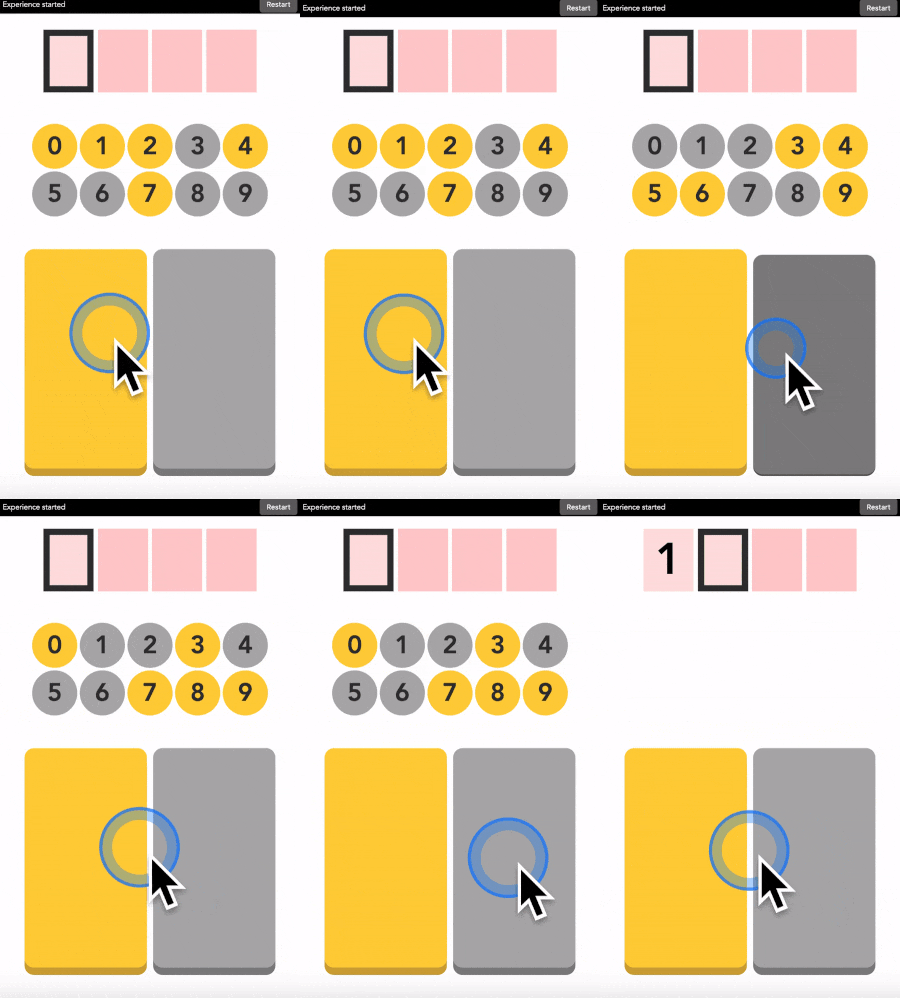
Buttons - Pre-calibrated
This is a pre-calibrated version of our interface to learn how the interaction works before experiencing self-calibration. You will use two labeled buttons to enter a 4-digit PIN. Use this demo first to understand the interface before trying self-calibrating versions.
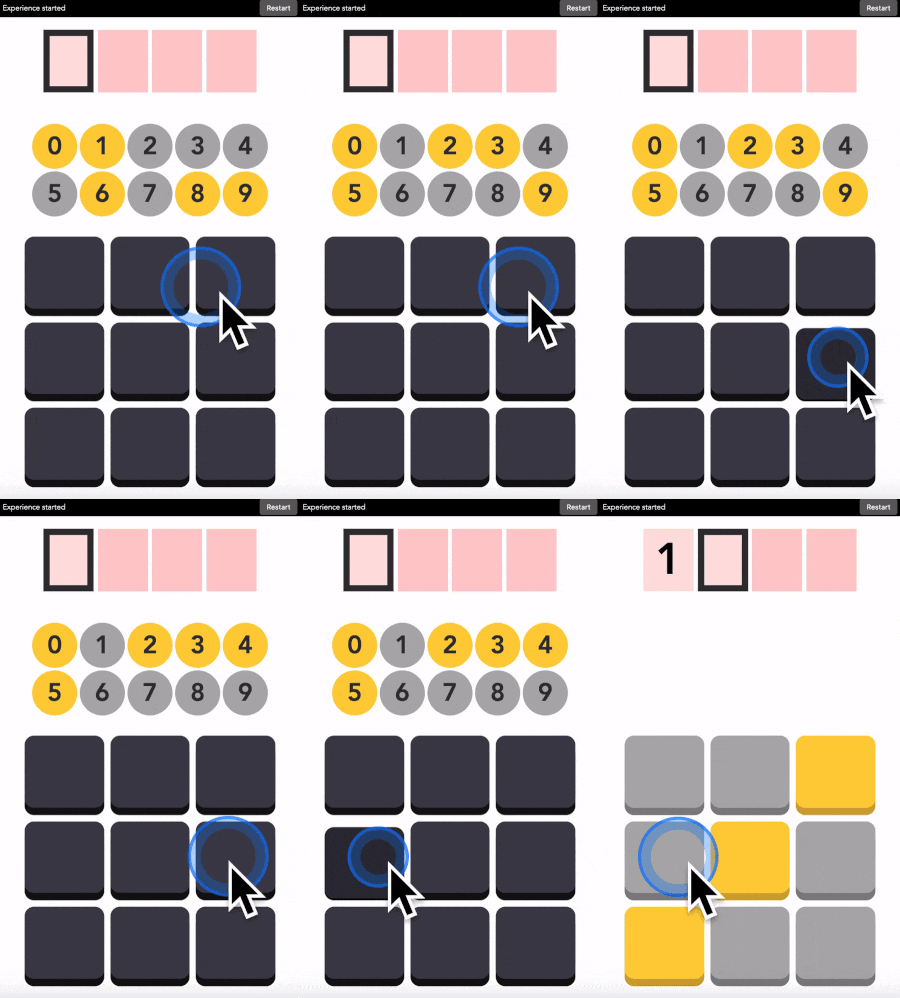
Buttons - Self-calibrating
This is the self-calibrating version with unlabeled buttons arranged in a 3×3 grid. You use the buttons to enter your 4-digit PIN without the system knowing which button means what (i.e. the color you assigned to them in your mind). The system figures out your personal button-to-color mapping, as well as your PIN, from your pattern of interaction.
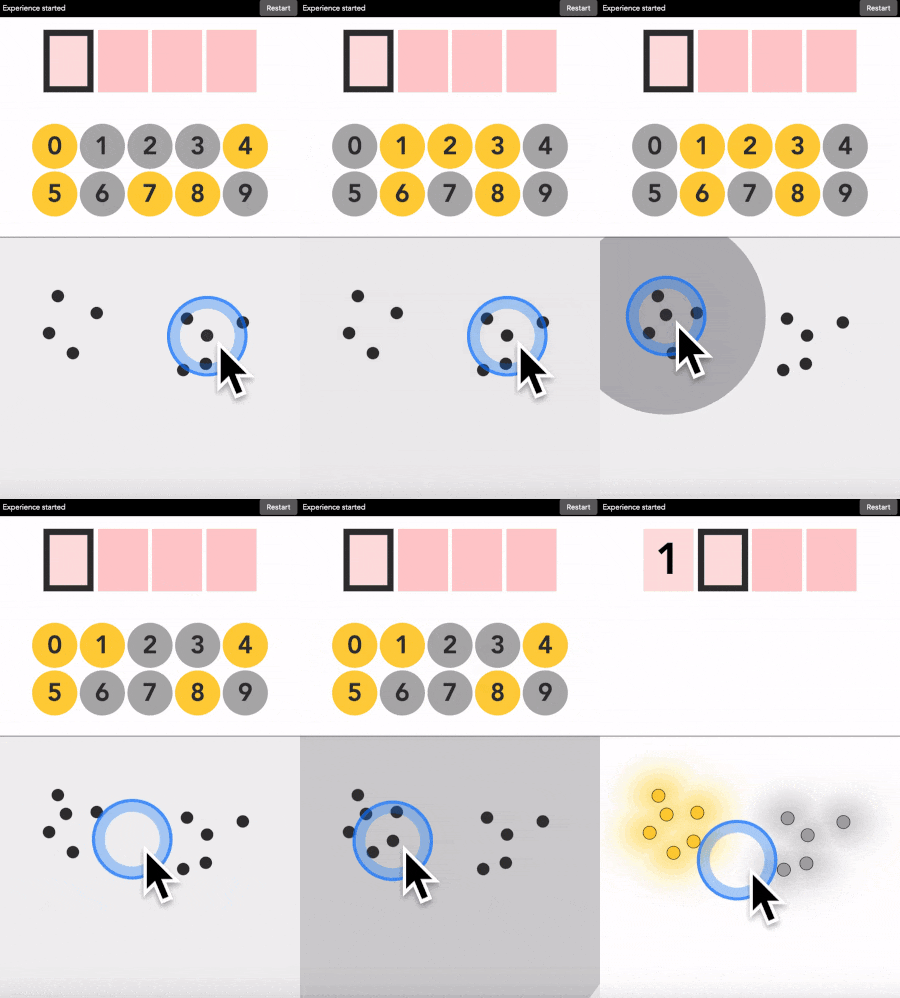
Touch - Self-calibrating
This demo moves beyond discrete buttons to continuous 2D input. You tap anywhere on the surface to enter your PIN digits. The system learns your personal point-on-the-pad-to-color mapping without any constraints or predefined zones.
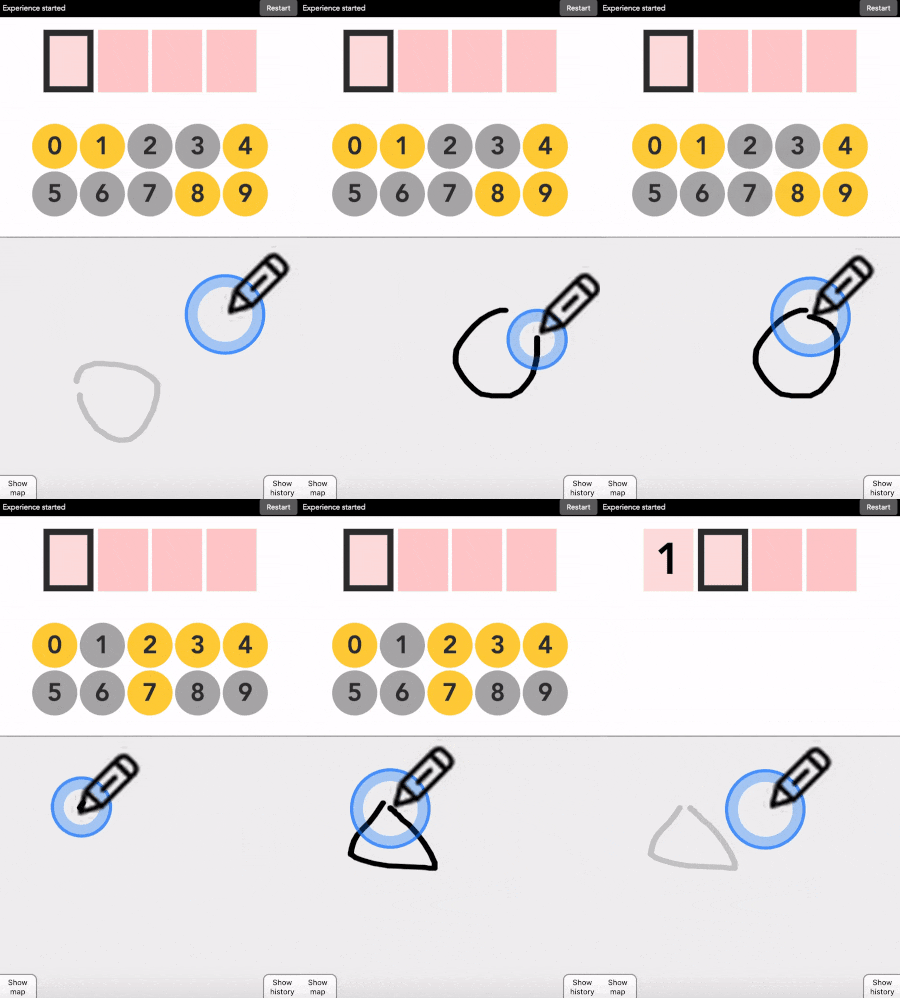
Draw - Self-calibrating
This demo uses hand-drawn sketches as input. You draw shapes or symbols with your finger or mouse to represent each color. Think hand-drawn symbols instead of buttons. The system learns your personal sketch-to-color mapping from your drawing patterns.
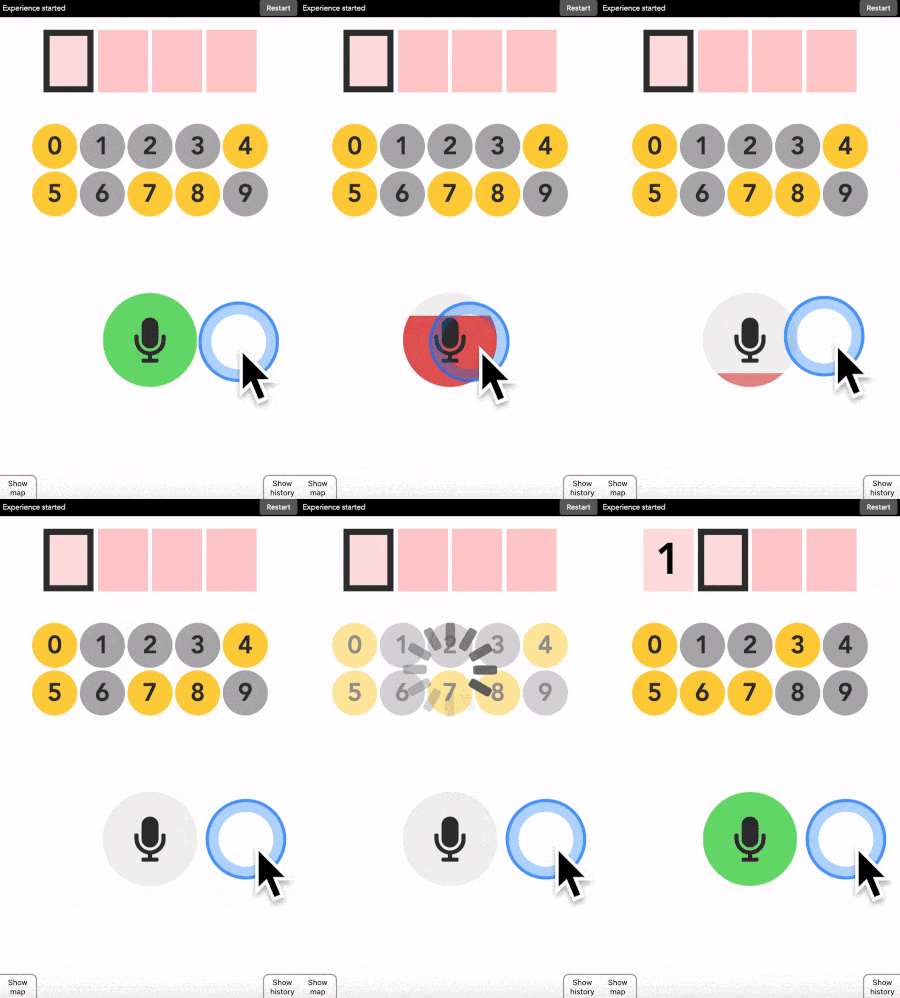
Speak - Self-calibrating
This demo uses audio input from your microphone. You say words or make sounds to represent each color. The system learns your personal sound-to-color mapping without needing to understand your language, in fact, any consistent sounds will work.
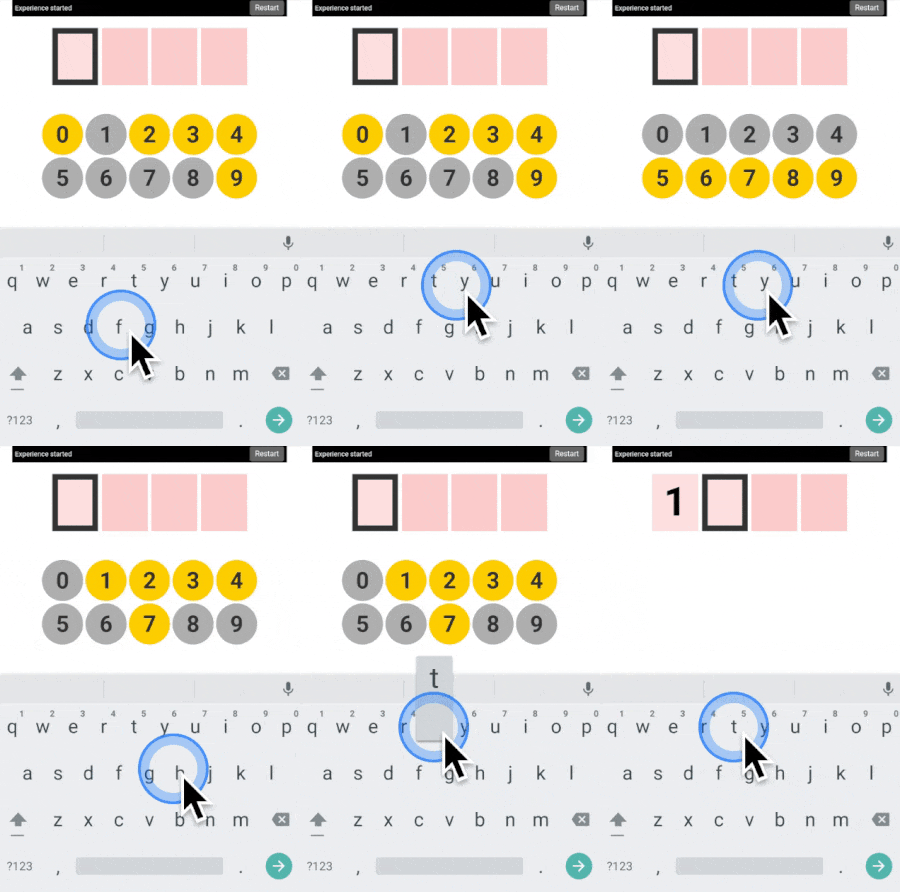
Keyboard - Self-calibrating
This demo uses keyboard input for PIN entry. You type any keys on your keyboard to represent each color. The system discovers which keys you are associating with each color without any predefined mappings. In other words, you create your own custom keyboard layout on the fly.
Tutorials
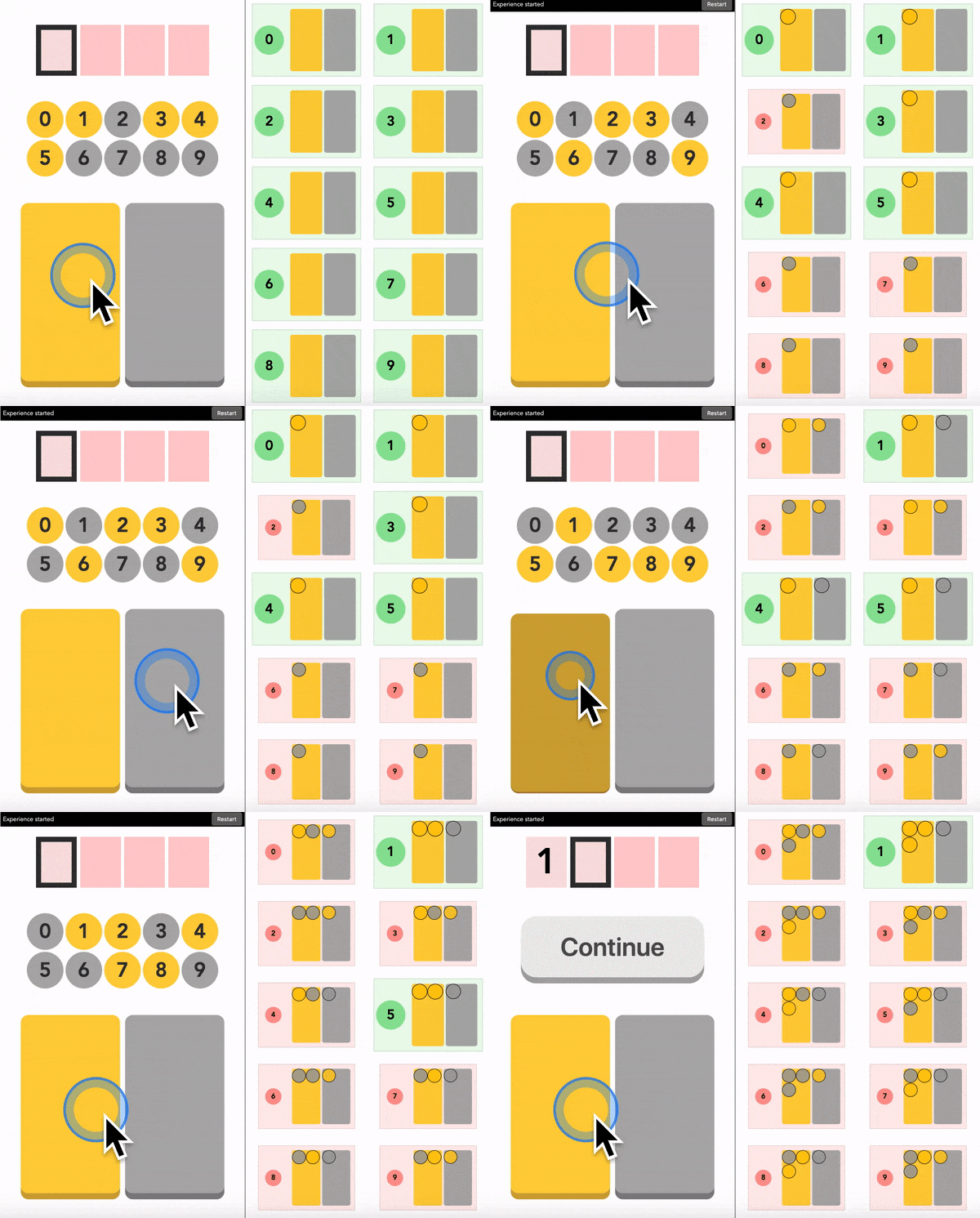
Buttons - Pre-Calibrated - Guided tutorial
This guided tutorial walks you through the interface step-by-step with two pre-calibrated buttons. You will see how the system progressively eliminates possibilities and converges on your intended digit. This is perfect for understanding the tutorial interface and what is happenign on the right panel before moving to the self-calibrating tutorials.
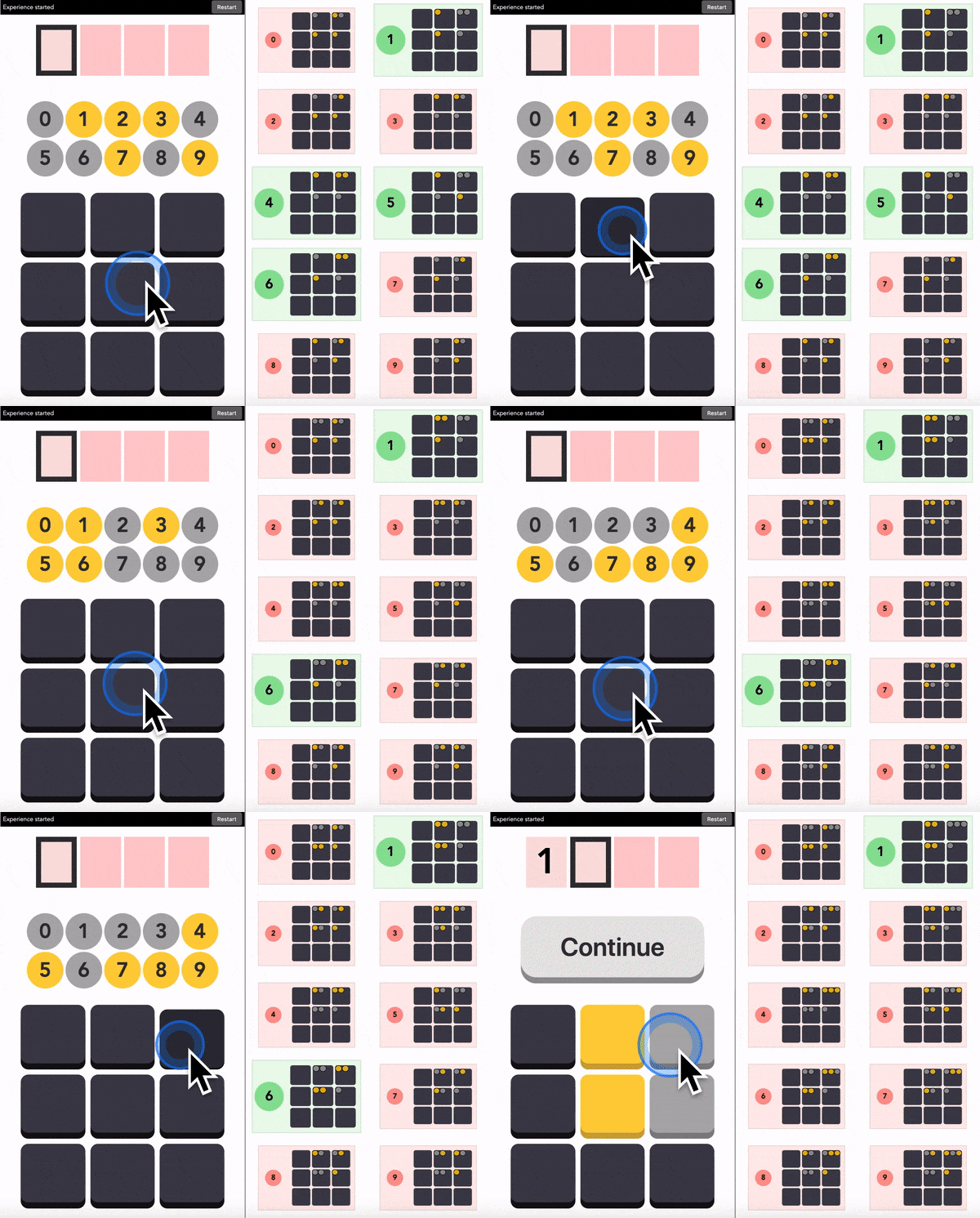
Buttons - Self-Calibrating - Guided tutorial
This tutorial extends the tutorial to self-calibration with a 3×3 grid of unlabeled buttons. You will visualize how the algorithm handles the elimination process as the system learns your button-to-color mapping, as well as your PIN, from your pattern of interaction.
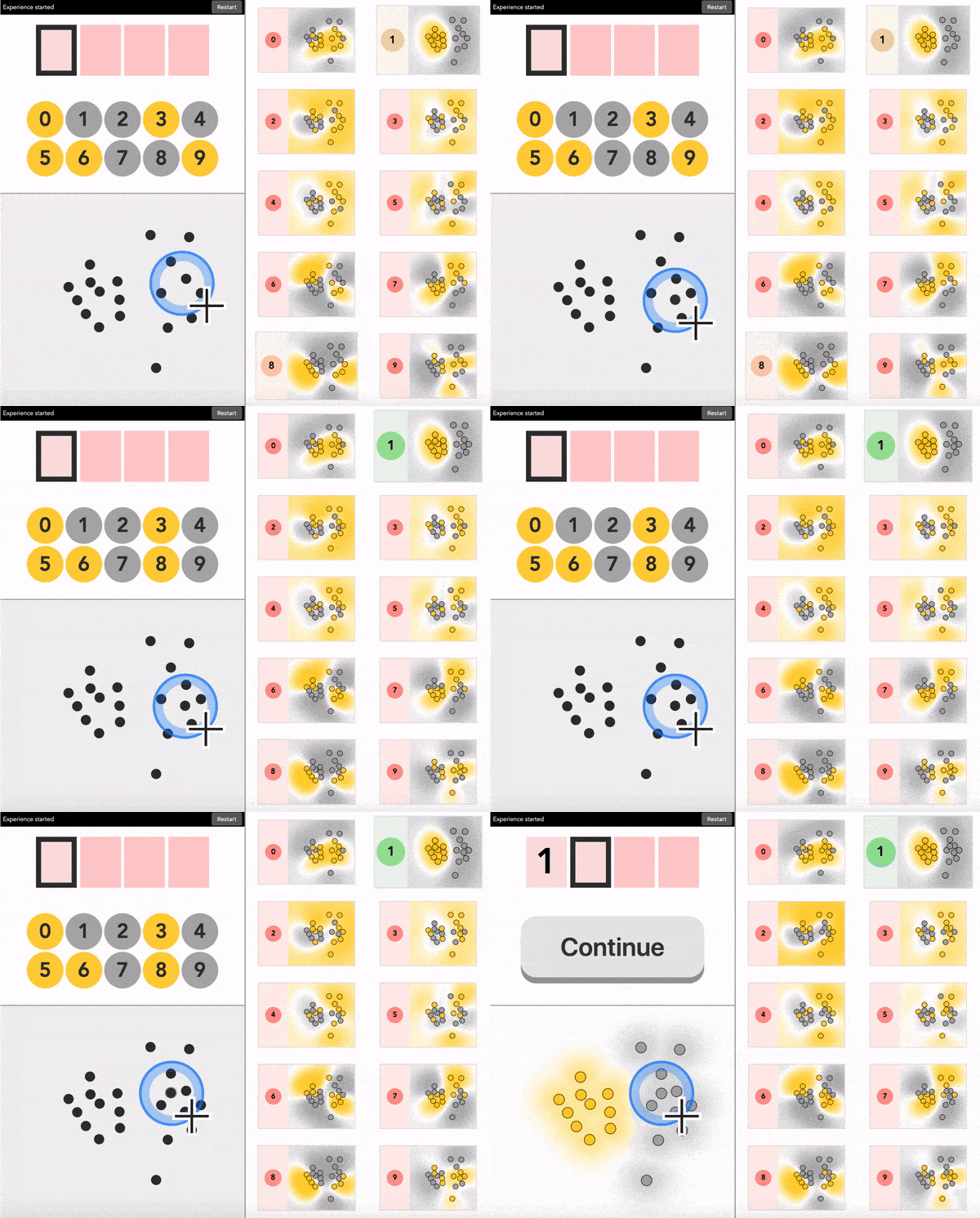
Touch - Self-Calibrating - Guided tutorial
This tutorial introduces continuous 2D input with step-by-step guidance. You will see how the system handles spatial coordinates instead of discrete buttons, learning which areas of the pad you are using for each color through ML-based consistency metrics.
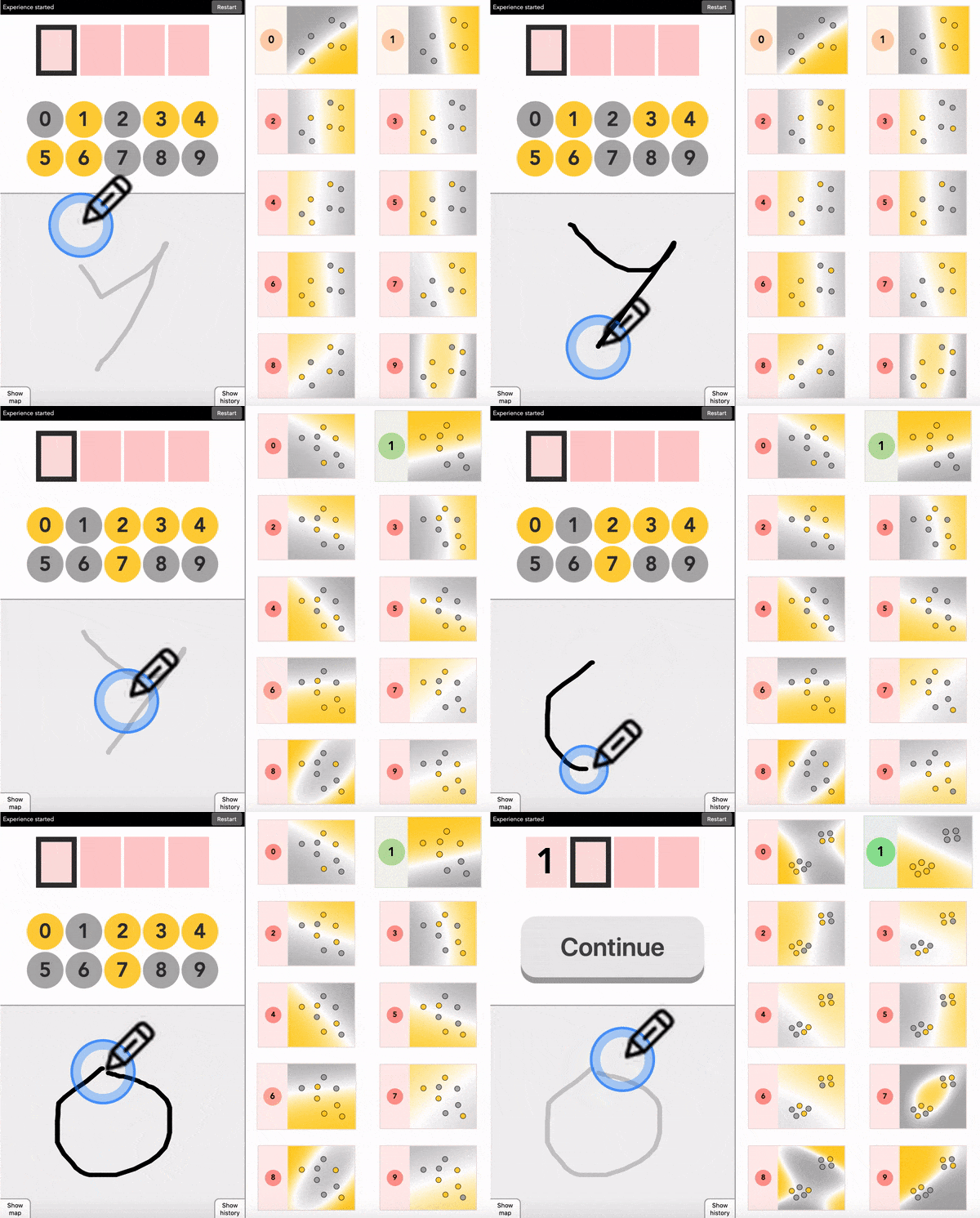
Draw - Self-Calibrating - Guided tutorial
This tutorial shows how self-calibration works with high-dimensional sketch data. You will draw symbols to represent each color and see how the system clusters them to identify which sketches represent which color — all without knowing what you are drawing.
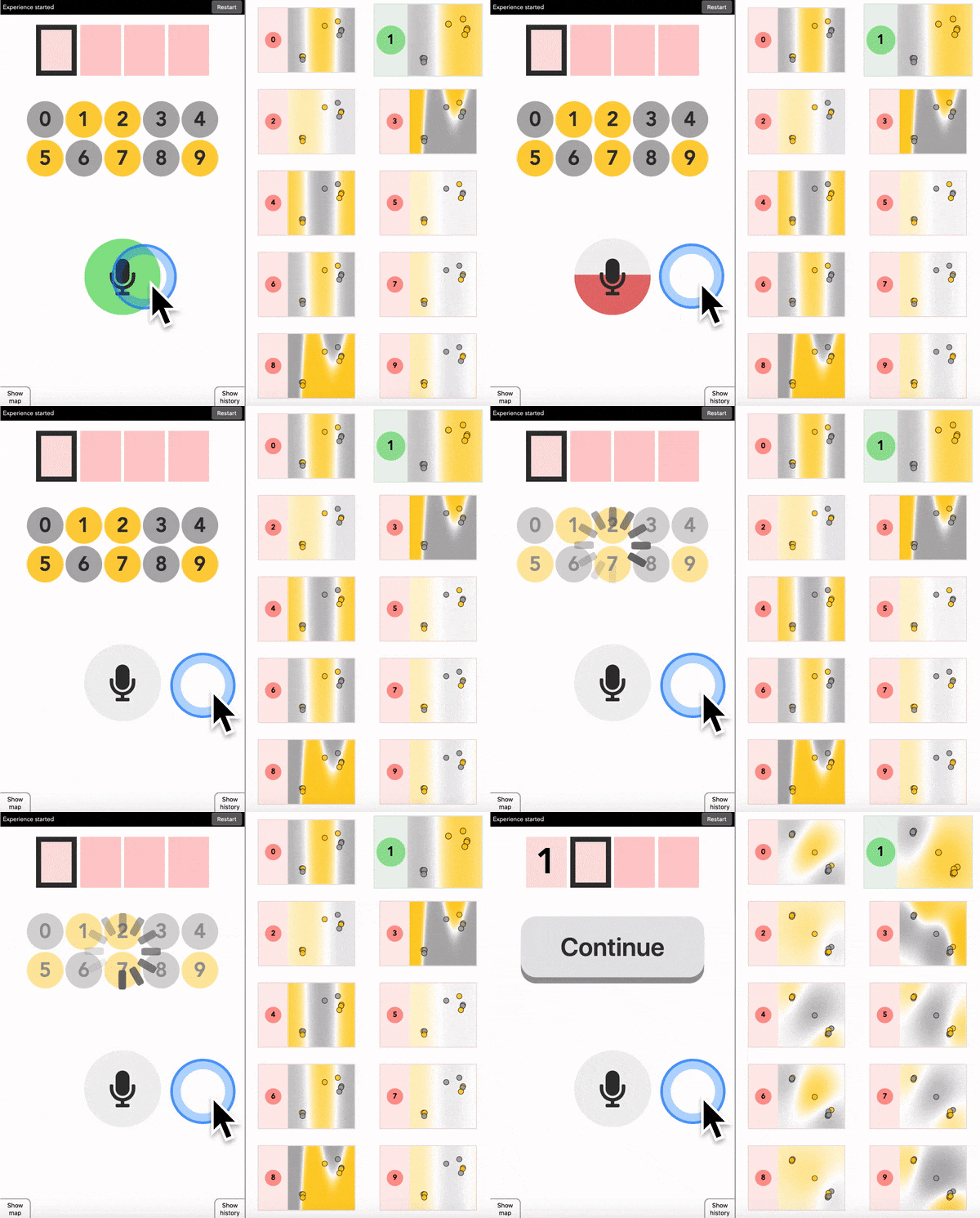
Speak - Self-Calibrating - Guided tutorial
This tutorial demonstrates self-calibration with audio signals. You will say words or make sounds to represent each color and visualize how the system clusters sounds to discover your sound-to-color mapping. In fact, any consistent sounds will work—without any speech recognition or language understanding.
All configs
Explore all available configurations at this link.
References
-
Robot learning simultaneously a task and how to interpret human instructions Jonathan Grizou, Manuel Lopes, Pierre-Yves Oudeyer (2013) IEEE Third Joint International Conference on Development and Learning and Epigenetic Robotics (ICDL) PDF | IEEE
-
Calibration-Free BCI Based Control Jonathan Grizou, Inaki Iturrate, Luis Montesano, Pierre-Yves Oudeyer, Manuel Lopes (2014) AAAI Conference on Artificial Intelligence PDF | Publisher
-
Interactive Learning from Unlabeled Instructions Jonathan Grizou, Inaki Iturrate, Luis Montesano, Pierre-Yves Oudeyer, Manuel Lopes (2014) Conference on Uncertainty in Artificial Intelligence (UAI) PDF | HAL
-
Studying the Co-Construction of Interaction Protocols in Collaborative Tasks with Humans Anna-Lisa Vollmer, Jonathan Grizou, Manuel Lopes, Katharina Rohlfing, Pierre-Yves Oudeyer (2014) IEEE International Conference on Development and Learning and on Epigenetic Robotics PDF | IEEE
-
Learning from Unlabeled Interaction Frames Jonathan Grizou (2014) PhD Thesis, Université de Bordeaux, INRIA PDF | HAL | Theses.fr
-
Exploiting task constraints for self-calibrated brain-machine interface control using error-related potentials I Iturrate, J Grizou, J Omedes, PY Oudeyer, M Lopes, L Montesano (2015) PLOS ONE Publisher
-
Interactive introduction to self-calibrating interfaces Jonathan Grizou (2022) arXiv preprint arXiv:2212.05766 PDF | arXiv
-
IFTT-PIN: A Self-Calibrating PIN-Entry Method Kathryn McConkey, Talha Enes Ayranci, Mohamed Khamis, Jonathan Grizou (2024) arXiv preprint arXiv:2407.02269 PDF | arXiv
-
Self-Calibrating BCIs: Ranking and Recovery of Mental Targets Without Labels Jonathan Grizou, Carlos de la Torre-Ortiz, Tuukka Ruotsalo (2025) Advances in Neural Information Processing Systems (NeurIPS) PDF | arXiv | Code | Dataset